
AI built for your work
Agents handle the work that arrives through your channels, using your own documents and rules. Every step that touches an external system needs the approval of an authorised person and is written to the record. We build the system around your work and take care of its maintenance after launch.
- 14:03:11fieldfault.reportedL0
- 14:03:15internalwork_order.draftL1
- 14:03:22approvalrequestedL2
- 14:09:40supplierorder.sentL2approval=a1f3
How a request moves through the system
The scenarios are scripted in advance and play out step by step. Each step shows the channel the request came from, the agent at work, the source it used, the risk level of the action, the approval status and the line written to the record.
Sample flow. Contains no real customer data.
A customer asks for a reservation on WhatsApp
Step 1 of 3- 1
The message is received and parsed into date, time and party size.
- 2
- 3
- Channel
- Agent
- Front-desk agent
- Source
- Incoming message
- Risk
- L0
- Approval
- Not required
Record
- 09:12:04whatsapprequest.receivedL0
Step 1 of 3. The message is received and parsed into date, time and party size.
One architecture, managed from a single centre
Channels, agents and tools all pass through the same execution gateway. Before every action the gateway consults the memory and policy layer; only approved actions reach external systems.
- Channels
- WhatsApp, Instagram DM, Telegram, Messenger and web chat. Every channel connects to the same gateway and works in several languages.
- Agents and the execution gateway
- The agents that do the work run here. Every action that writes to an external system is approved according to its risk level; channel and system credentials are kept in one place, encrypted.
- Memory and policy
- Your documents, tasks and decisions are kept in a single source. Who accessed what is recorded, and each customer’s data is kept separate.
- Tools
- A brand studio that produces visuals in line with your corporate identity, and an assistant character designed for your brand. They work behind the gateway and their output follows the same approval rules.
- External systems
- ERP, CRM, payments and social media. Only approved actions are written to these systems.
Authority and audit
Every action carries a risk level. The level decides whether the action needs approval and who approves it.
| Level | Meaning | Example action |
|---|---|---|
| L0 | ReadInformation is read; no record changes. | Example action: Checking a stock level |
| L1 | Internal recordA reversible record is created in your own system. | Example action: Creating a draft work order |
| L2 | Write to an external systemA change is made in an external system; an authorised person must approve it. | Example action: Sending an order to a supplier |
| L3 | Irreversible or public actionAn action that cannot be undone or is visible to the public; it never happens without approval. | Example action: Publishing a social media post |
- Approval channels
- The approval card reaches the manager on the channel they use: the admin panel or Telegram. The approver and the time are written to the record.
- Audit record
- Every step is written to an append-only record: which agent worked, which source it used and which approval was given.
- Data separation
- Each customer’s data is kept separate at database level.
- Credentials
- Channel and external system credentials are stored encrypted and never appear in agent output or records.
Running in production today
Our own team built all of them and runs them today.
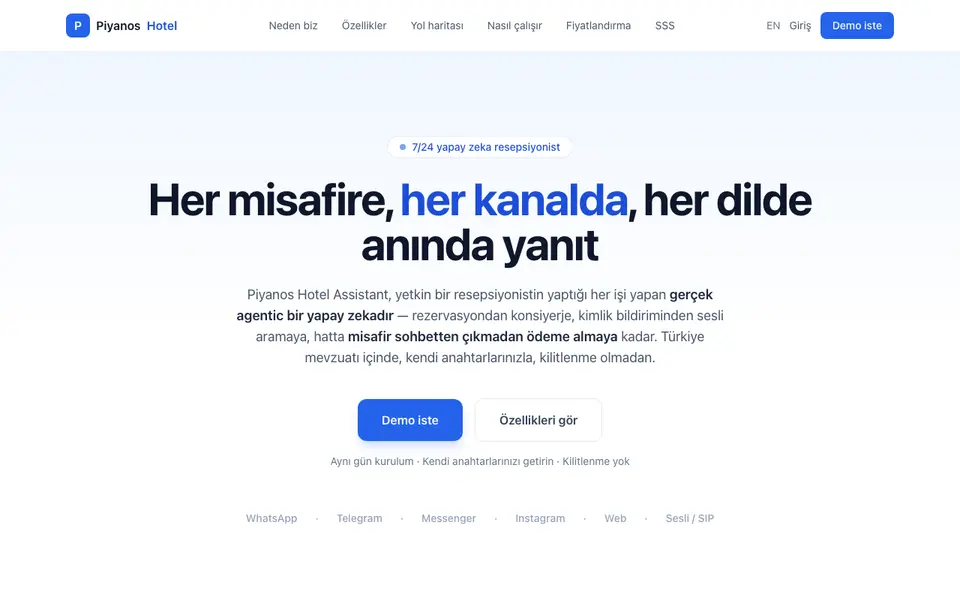
Hotels
Piyanos Hotel Assistant
A multilingual AI receptionist that welcomes guests 24/7 on WhatsApp, Telegram and the phone, and answers from the hotel’s own documents, citing the source.
See the product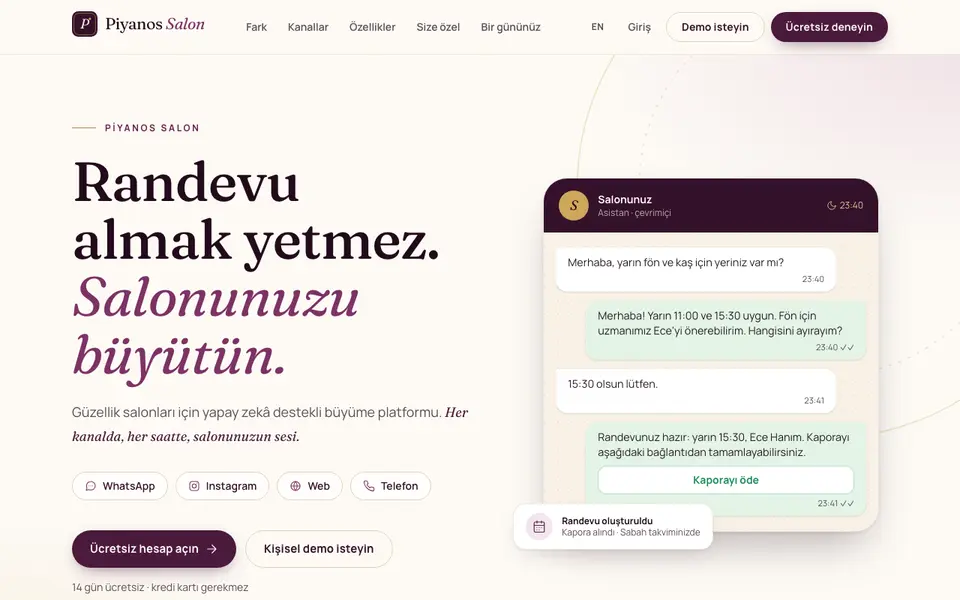
Salons and beauty
Piyanos Salon
An assistant that takes bookings 24/7 over WhatsApp, Instagram and the web, with a shared inbox, a VIP club and a campaign studio.
See the product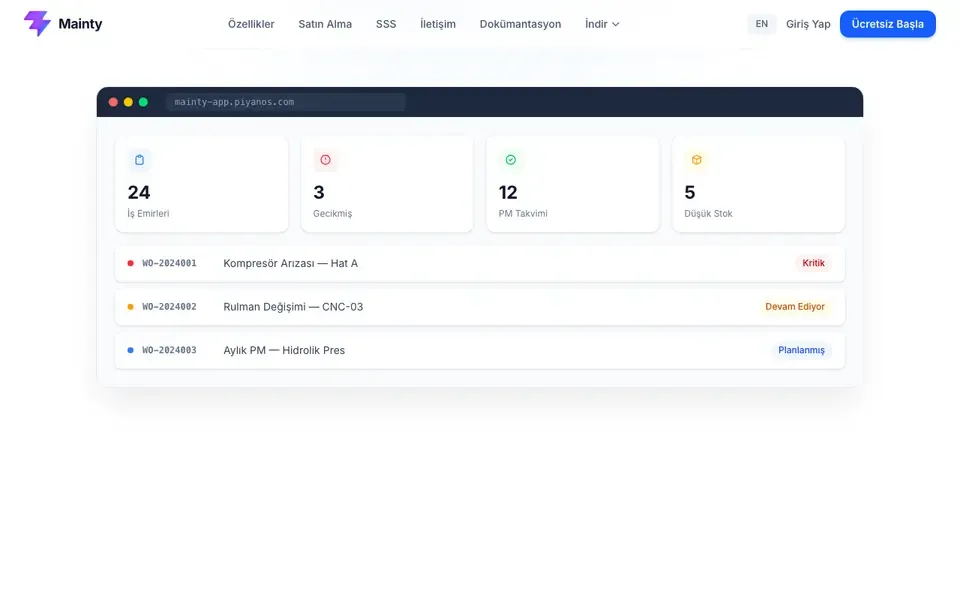
Maintenance
Mainty
Maintenance, fault and asset management. Work orders and field teams in one panel.
See the productPivi prepares the post and puts it in the approval queue. Before publishing, sources, price claims, personal data and tone are checked; a price is mentioned, so it raises a warning, and a person makes the call. The draft waits until someone on the team reads and approves it; once approved, the post goes live at its scheduled time. Who approved it, and when, is written to the ledger. Today a person approves every post before it is published. Recorded in the Pivi Control Panel with test data. Piyanos’s own assistant
Pivi
Piyanos’s own AI assistant; it prepares its content itself and waits for approval before anything is published.
See the product
Piyanos runs its own internal work on the same architecture: tasks, decisions and work records are kept in one centre, and agents start their work from that record.
Setup tiers
A setup starts with the tier that fits the need and moves to the next one as the system grows.
- a)
Knowledge assistant
An assistant that answers from your documents and shows its sources. It is set up with separate access rights for your team and your customers.
- b)
Workflow agents
Agents that handle requests from your channels and run your workflows. Steps that write to external systems go through approval.
- c)
Company memory
A single centre for documents, tasks and decisions, shared by every agent. It runs on Piyanos infrastructure or, optionally, on your own servers.
An assistant character for your brand
An AI-based digital assistant character designed for your brand and generated from code. Offered as an additional service.
Pricing depends on the scope of the setup and is set after the discovery call.
How we work
Every setup follows the same four steps.
- 01
Discovery
We review your processes, channels and data together and decide which flows and approval rules to set up first. What you receive: an inventory of your processes and channels, a proposal for the first three flows to build, an expected-gain and risk note for each flow, a draft of the approval rules and a clickable prototype.
- 02
Pilot
One selected flow runs with real users within a limited scope. The results are reviewed together through the records.
- 03
Roll-out
New channels and flows are added using the rules settled during the pilot.
- 04
Maintenance and development
We monitor the live system, keep it updated and develop it as new needs arise. A monthly cost ceiling for model usage is agreed together and usage is reported against it; a model change is first tried on a limited flow and rolled out to the whole system with your approval.
Who you will work with

Ferdi Özer
Founder, Piyanos Technology
Ferdi has been building software for more than ten years. Piyanos is headquartered in Istanbul, with its R&D centre at Düzce Teknokent. Ferdi runs the discovery work and the technical management of the setup directly, so you deal with the same person throughout your project.
Get in touch directly:WhatsAppinfo@piyanos.com
Frequently asked questions
Which AI models are used?
The default model provider is Anthropic (Claude models). Where data must not leave the country, an open-weight model runs on your own servers.
Where does our data go and where is it stored?
When Anthropic models are used, data is processed abroad, and this transfer is stated explicitly in the contract. If data must not leave the country, the model also runs on your own servers.
Can the system run on our own servers?
Yes. The system runs on Piyanos infrastructure or, optionally, on your own servers.
Will we be tied to a single vendor?
The model provider is a setting in the system; when needed it is switched to another provider or to an open-weight model, and channels and external system connections are not affected by the change. The documentation and configuration of the setup are handed over to you.
Who owns the code and the data?
The data belongs to the company; it is exported on request and deleted when the contract ends. Usage rights to code written for the company and to the shared infrastructure are set out separately in the contract.
Does it connect to our existing systems?
We connect to ERP, CRM, payment and messaging systems over their APIs. The operations each connection may perform are set by risk level, and operations that need write access go through approval.
How will we measure the gain?
During discovery we choose measures that show the current state of each flow, for example response time or the number of manual tasks. Throughout the pilot the same measures are taken from the audit log and compared with the baseline.
How long does a setup take?
It depends on the number of channels and the systems to connect; the timeline is settled together with the pilot schedule at the end of discovery.
How is the price set?
The price depends on the effort the setup requires: the number of channels, the systems to connect and the scope of the flows. We prepare a quote once the needs are clear after the discovery call.
Book a free discovery call
Pick a time on the calendar right away, or fill in the form. Our team reads form requests and gets back to you personally to confirm a date.
- Calendar
- Pick a time
- Phone
- +90 507 588 04 81
- info@piyanos.com
- Send a message